Salesflare API
API by Salesflare · rest
Introduction Getting Started The Salesflare API allows you to access and build your own applications or integrations that interact with Salesflare. The Salesflare API provides a RESTful interface with JSON-formatted responses to access most Salesflare resources. Authentication The Salesflare API uses bearer token based authentication, which means you need to use the key-value pair "Authorization : Bearer APIKEY" in the header to authenticate. You can make an API key in ["Settings" > "API keys"](https://app.salesflare.com//settings/apikeys). Click on the large orange "+" button on the bottom right of the screen to create an API key. 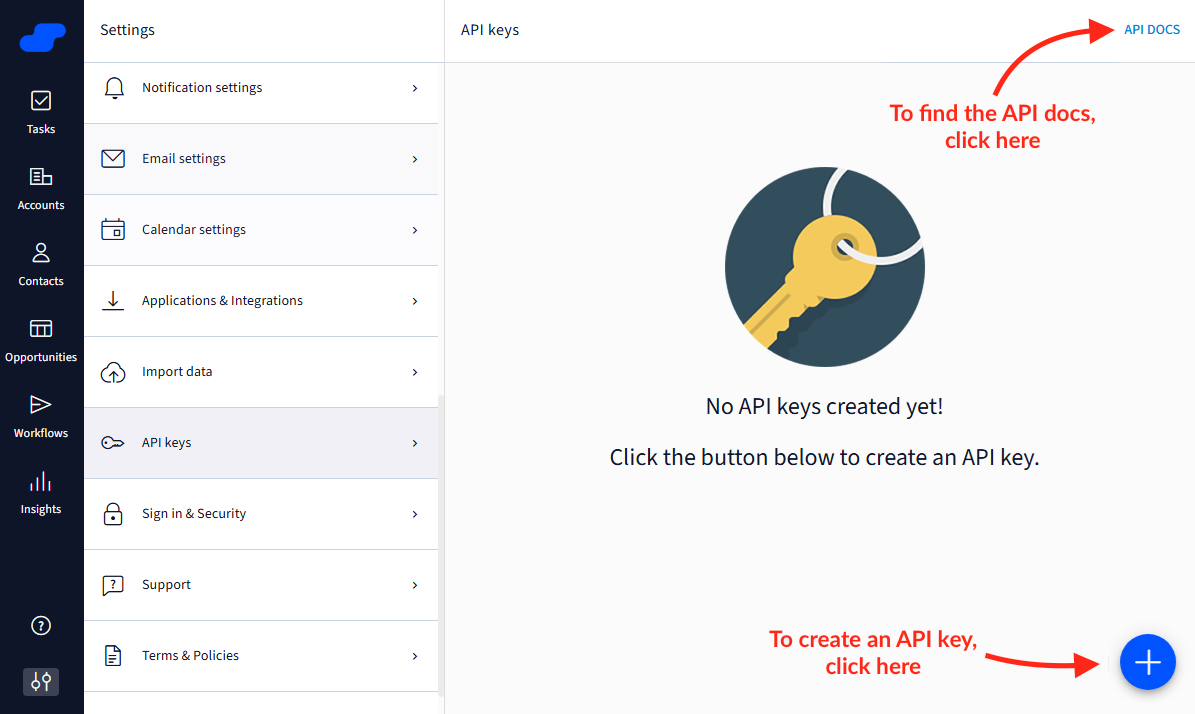 Requests All requests must be sent using HTTPS with TLS 1.2 or higher. Please make sure your developer tools support this version of TLS as older versions or SSL are not supported for security reasons. For PUT or POST requests…
Endpoint: https://api.salesflare.com
Verification: observed. Source: crawl.
Capabilities (71)
- List accounts
- Create an account
- Get account details
- Update an account
- Delete an account
- Update an account's contacts
- Update an account's contacts
- Get an account's feed
- List an account's messages
- Update an account's users
- Update an account's users
- Create a call
- Update a call
- Get a workflow's merge fields
- List contacts
- Create a contact
- Get contact details
- Update a contact
- Delete a contact
- List supported currencies
- List custom field types
- List custom fields of a type
- Create a custom field of a type
- List a custom field's options
- Get custom field details